Easier then ever!

ClockIn Portal makes tracking your employee hours easier than ever! Simply sign up, add users and begin tracking their work times. Assign them schedules and tasks and get back to what you do best.

Online Clock in / Clock out

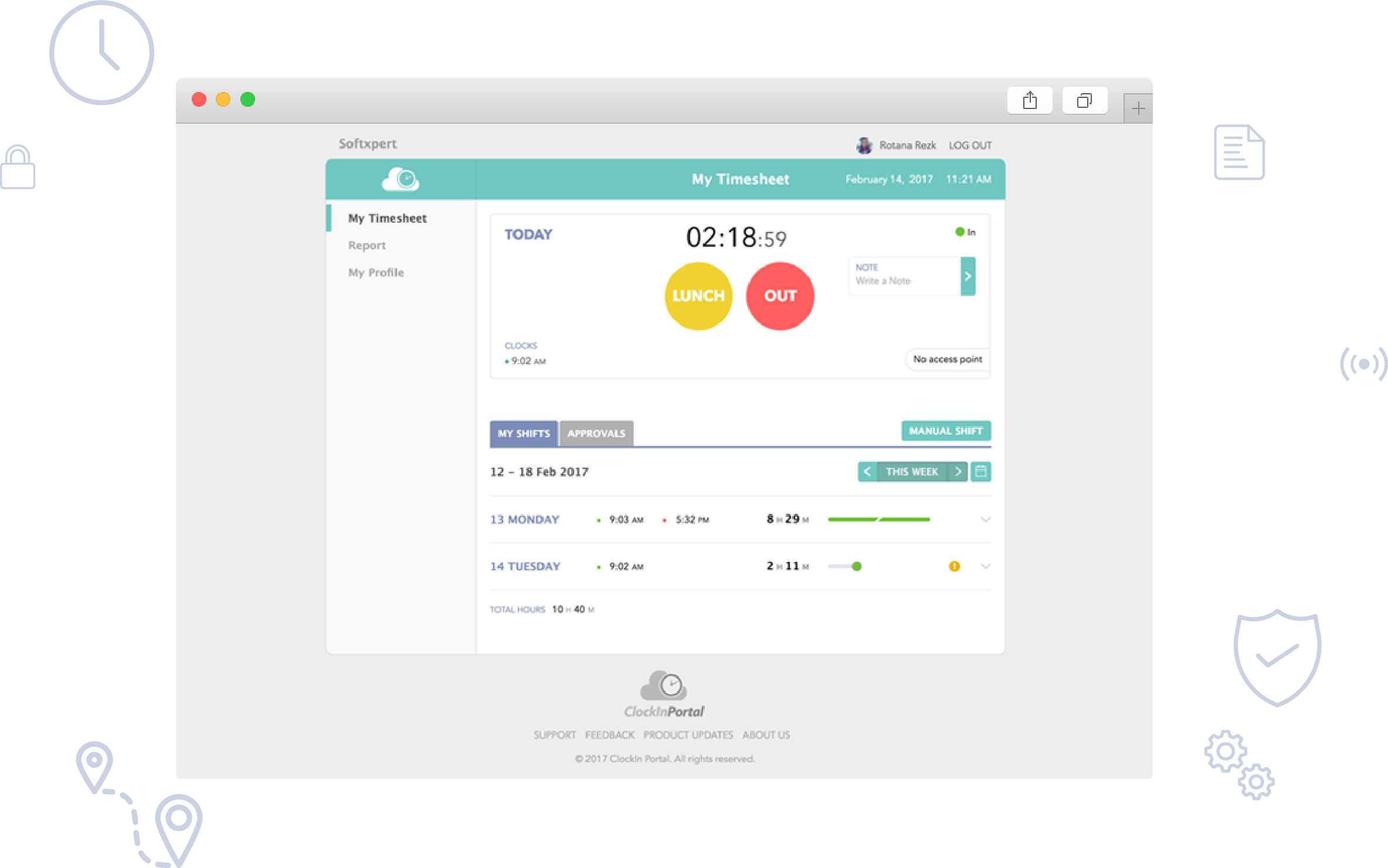
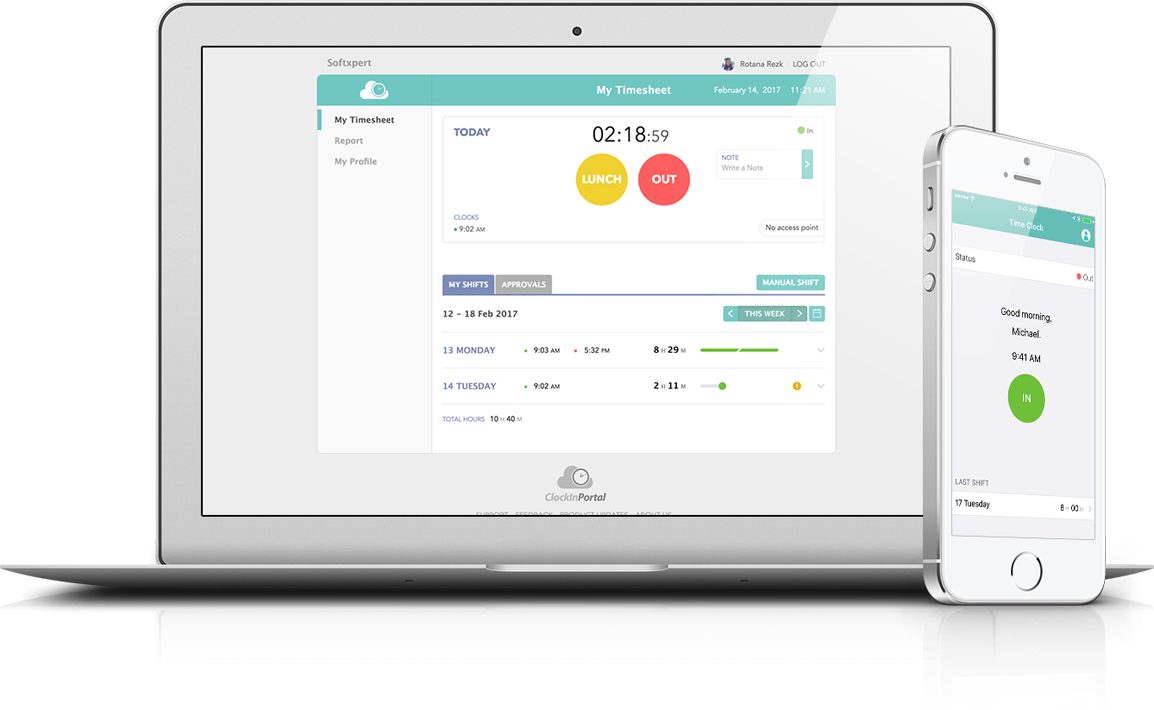
View employee's start and end work times. ClockIn Portal's online Time Clock displays the accurate time in hours, minutes, and seconds. With just a click of a button, employees can indicate whether they are on or off the clock.

View and manage employees' time sheets

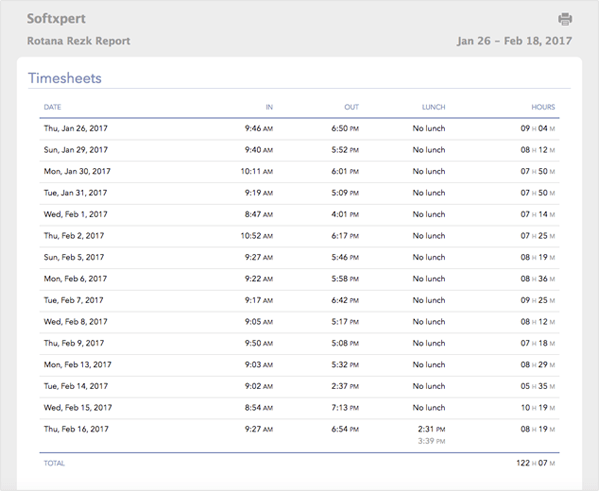
See detailed time sheet information for any employee. Search, sort, add, edit, and delete the information in any time sheet. Review the total number of hours worked for a specific day. Searches can be customized to meet your needs.

Add vacation requests

You can add vacation periods for any employee just by specifying the range of dates to define the length of the vacation. Select the type of vacation desired by the employee. Keep track of pay rates and add comments.

Add and/or edit personal information

Use the convenient entry screens to enter personal information about an employee, including name, job title, employee type, department, and address.

Upload pictures to the employee profile

Customize your profile by uploading a photo or picture.

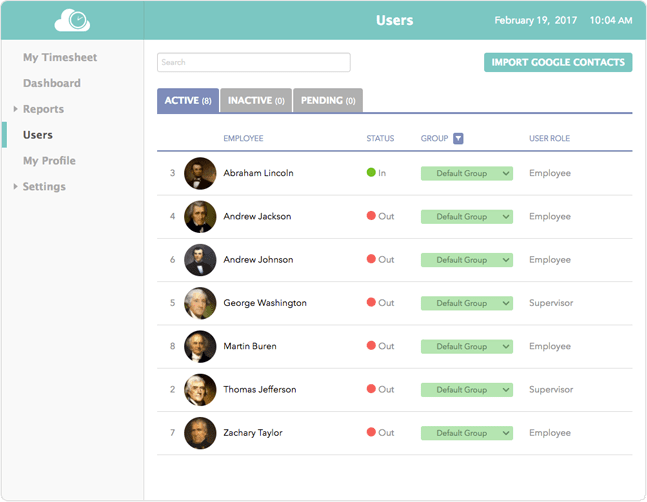
Add, edit, and/or delete users

Employee users can be added and/or deleted as required. Information about each user can be modified and saved to the system quickly and conveniently.

Create employee schedules

Employee schedules can be created quickly and accurately via the automated scheduling capability. Dates and times of scheduled work hours can be changed as well.

Track employee attendance/absence

This is the heart of ClockIn Portal. Keep track of employees' attendance and absences efficiently and with the assurance that all information is timely and up-to-date.

Manage vacations and accruals

Managers can review each employee's vacation time and accruals in one convenient place.

Generate payroll reports

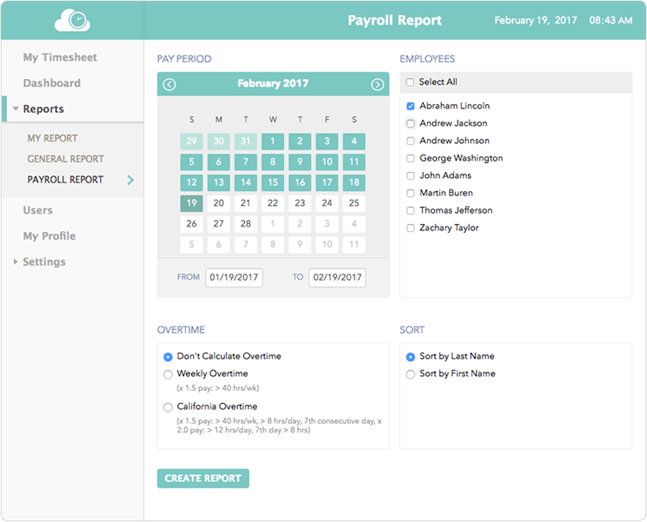
It's easy to general a variety of payroll reports using ClockIn Portal's robust report generation capability. Share information with employees via reports. Format your reports to your specifications and save in HTML or PDF format.

View a detailed list of reports

Review a list of all reports already generated to obtain an overall view of business operations.

Add/Edit/Delete payroll

Payroll data can be added, edited, or deleted as required through the simple screen display.

Add a Bonus / Deduction

Add bonuses and/or deductions to employee payroll amounts with no difficulty. ClockIn Portal keeps track of all the changes for you.

Manage payroll status

ClockIn Portal handles the nitty-gritty of payroll status management so you can concentrate on business goals.

Track employee tasks

Assign specific tasks to employees and review their status. See how much time a particular employee may spend on a specific task.

Manage employee performance

See exactly how employees are spending their time. Use ClockIn Portal to keep up with project tasks. Review break times and absences.

View employee shift reports

Review shift reports created by employees to determine the status of work projects.

Add Company information

Create a company directory to keep basic information at hand. Enter address, contact numbers, email addresses, etc.

Add and View lists of company departments

Keep an up-to-date list of all departments in your company. Add and delete department names as required.

Post company events

Keep the work force apprised of upcoming events with ClockIn Portal. It's easy to add information about an event and broadcast it throughout the organization from inside the application.

Set user security clearance restrictions

Set robust security options and restrict users' access to sensitive areas. Keep track of employees' security clearance limits and modify them as needed.

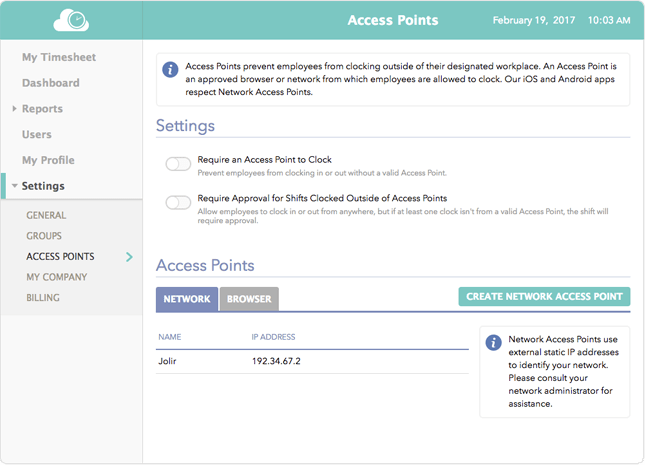
Restrict Application Access through IP addresses

Don't want employees to work from home without permission? Restrict access to ClockIn Portal by IP address for maximum security, ensuring that only approved IPs get through.

Time sheets

The web-based online time sheets offered by ClockIn Portal make accurate record-keeping a snap. Employees can keep track of their time from remote locations, and managers always have up-to-date information about what work employees are doing and when they are doing it.

Administration

ClockIn Portal's administrative tools make it simple to keep track of employees. Easily add, edit or delete employee users from the system. Enter employee information via the easy-to-use data entry screen. Employee schedules can be created quickly and accurately with ClockIn Portal's automated scheduling capability.

Management

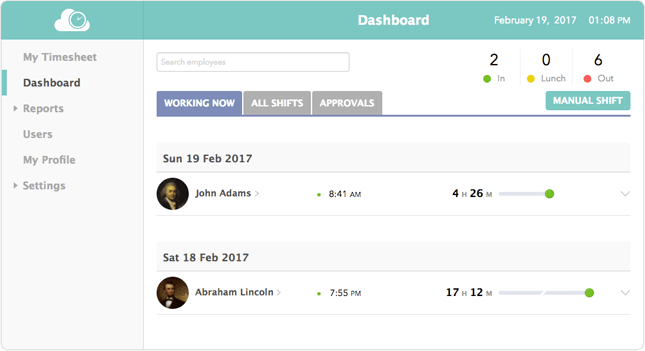
Managers can view, sort, and search data in employee time sheets. Easily view clock-in and clock-out times to track attendance and absences. Time off and vacation accruals can be easily managed with ClockIn Portal. Managers can also generate employee payroll reports and view a detailed list of these reports.

Employee Tools

ClockIn Portal gives employees the ability to enter their clock-in and clock-out times online from wherever they are. They can create individual profiles, change passwords, and customize their application preferences. Employees may also easily view their time sheets to keep track of the time they've put in.